







Work From Home Module – Smarter Remote Workforce Tracking
The Work From Home System is a custom Odoo module that helps companies manage remote attendance, work logs, breaks, and productivity in one place. Employees submit their daily records, and team leaders approve them with clear checks. HR gets real-time visibility into attendance, exceptions, and discipline, which removes manual tracking and keeps remote work fully transparent.

Team
3–4 Members

Duration
2-3 Months

Industry
Remote Workforce & HR Compliance
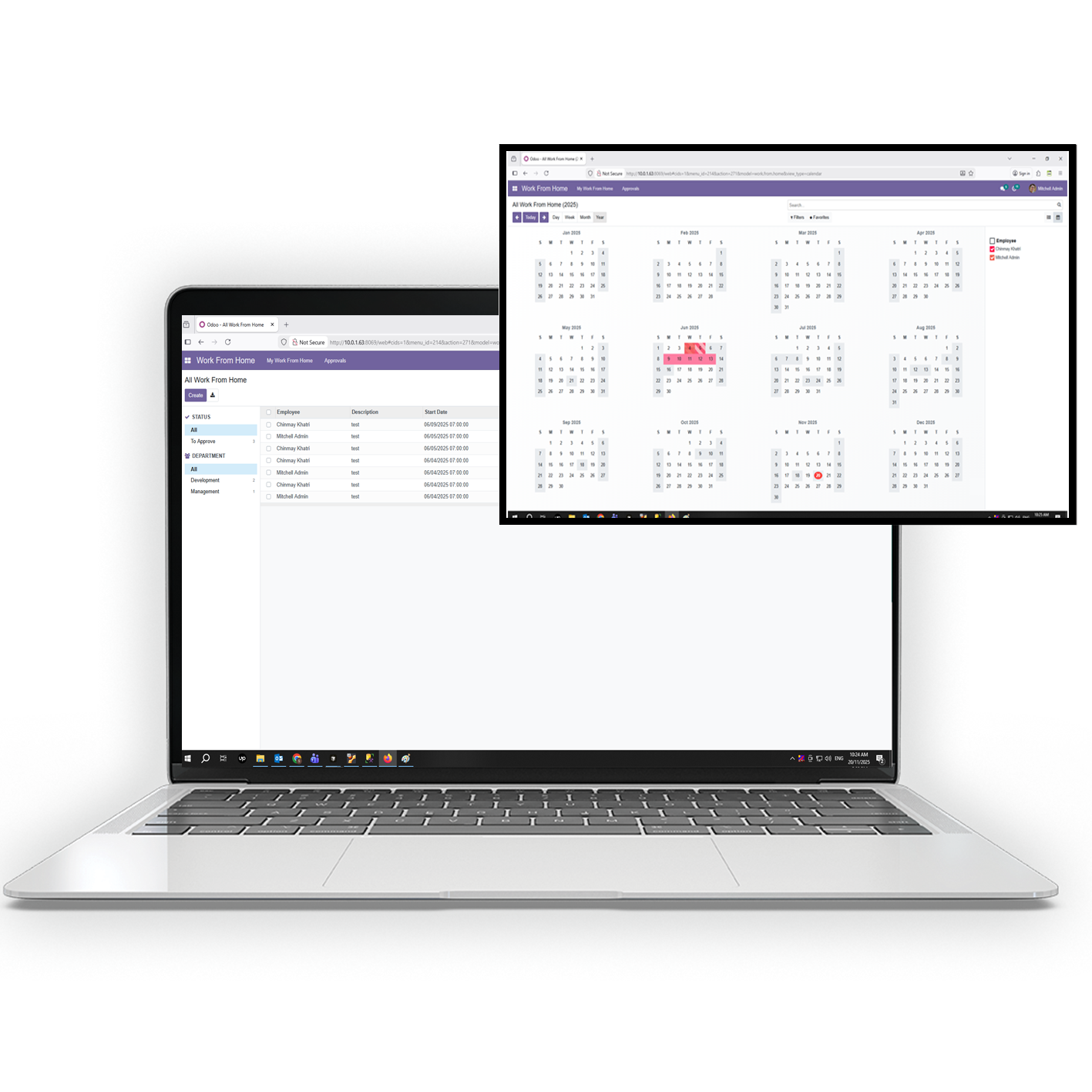

Product Overview
The Work From Home System is a complete remote work management solution built inside Odoo. It gives employees a simple way to mark attendance, submit daily work logs, track breaks, and upload system activity records without confusion. Team leaders can review all submissions in one place and approve or flag entries that need attention. HR gets real-time visibility into attendance patterns, exceptions, leave usage, and discipline across the entire remote workforce. The module replaces scattered spreadsheets with guided forms, automated checks, and structured validation so every record stays accurate and consistent. It helps teams stay compliant, organized, and fully aligned while supporting a smooth remote work environment.
How Does It Work?
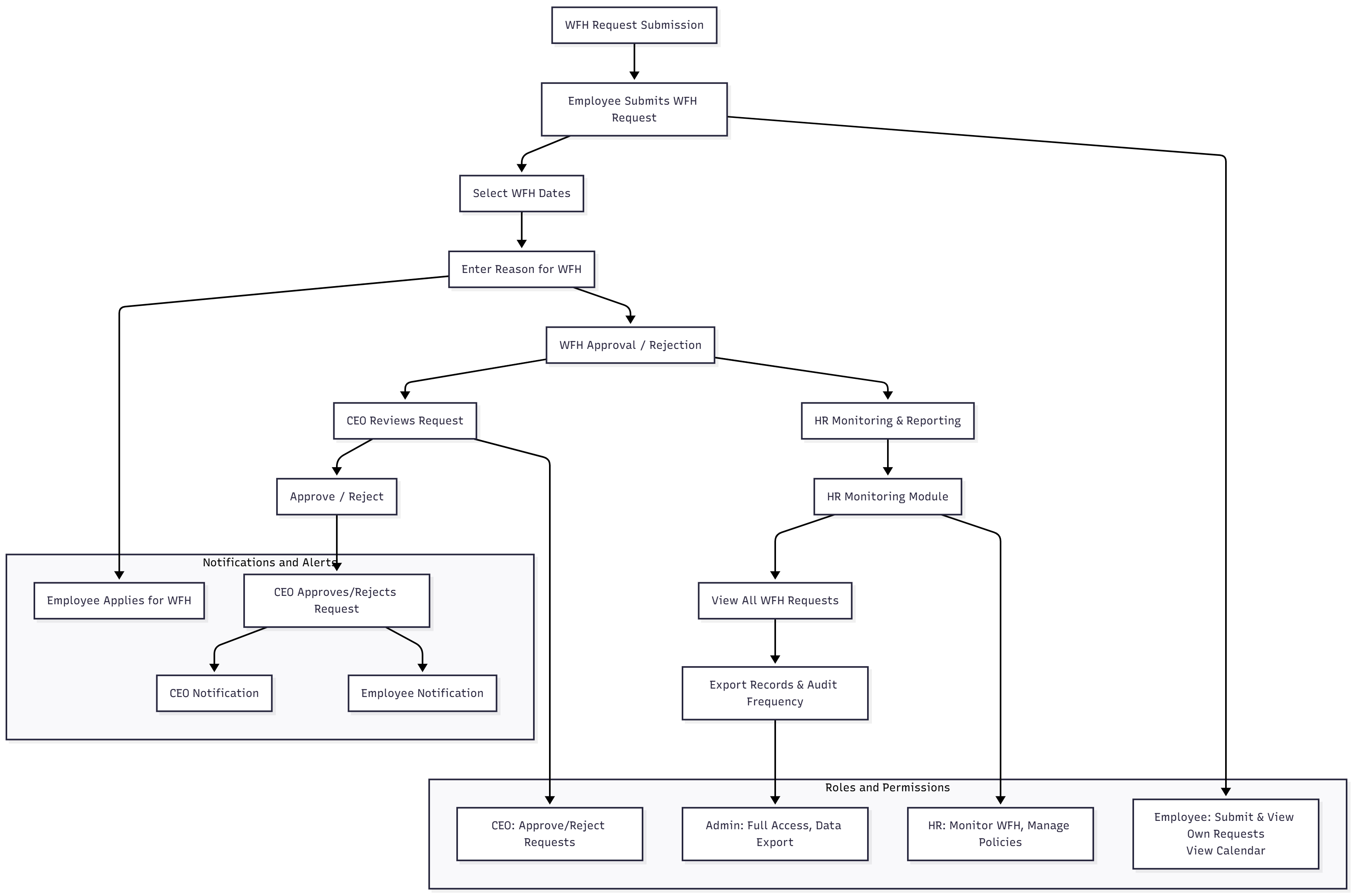
The Work From Home system runs through a simple flow inside Odoo. Employees send a WFH request with their dates and reason. The CEO receives it instantly and decides to approve or reject. Once approved, the employee can check in using the WFH attendance mode. HR tracks everything in real time through logs, calendars, and reports. Email alerts keep everyone updated so the whole process stays clear, fast, and hassle-free.
User Cases
- Managing WFH Requests –Enables employees to submit structured work-from-home requests including request dates and reasons.
- Leadership Approvals –A centralized approval dashboard for CEO to approve, decline or review the requested WFH time.
- HR Compliance Tracking –Provides HR visibility of WFH for attendance, compliance, and payroll accuracy.
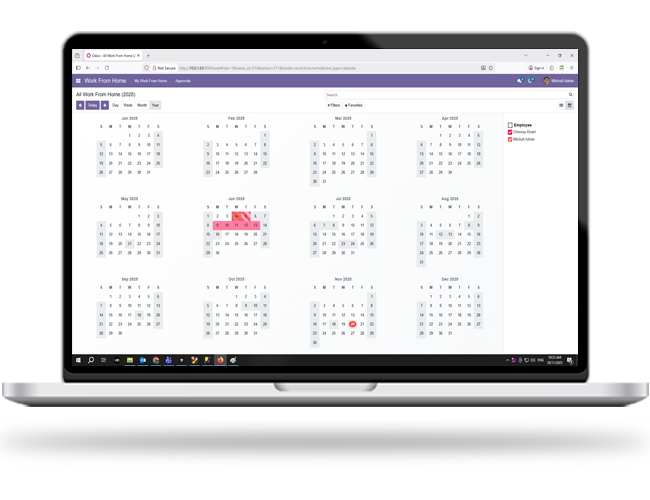
- Centralized WFH Calendar –Displays all pending, approved, and rejected requests for transparency across teams.
- Automated Attendance Activation –Switches employees into WFH attendance mode instantly upon CEO approval.
- Policy & Data Oversight –Let HR and Admin configure rules, audit records, and export organization-wide WFH data.
Benefits
- 100% Paperless Approval Process – Removes manual emails, spreadsheets, and informal requests to work-from-home.
- 90% Increase to Process Transparency – Provides visibility for the employee, CEO, and HR via automated tracking.
- 95% Faster Request-to-Approval Cycle – Same-day submission, review, and activation of requests to work-from-home.
- 80% Decrease to HR Coordination Effort – Limits back-and-forth communications to the automated notifications and tracking logs.
- Fully Integrated with Attendance and Payroll – Work-from-home requests and check-ins verified, compliant, and accurate for payroll calculation.
- WFH Submission Engine – Handles employee work-from-home requests that include the date, reason for request, and will automatically set into a pending status.
- CEO Approval Dashboard – Dedicated dashboard for the CEO to review WFH requests for employees with the capacity to approve or decline this submission.
- Automated Attendance Mode – Automatically activates attendance mode for the work from home after CEO’s approval.
- HR Monitoring Dashboard – Gives HR oversight to all WFH activity, attendance time records, and any deviation from WFH policy compliance.
- Organization WFH Calendar – Displays the WFH request that received pending, approved, and declined status to provide full visibility for the organization.
- Notification System – Sends real-time email alerts to employees and the CEO for every request and decision.
 Challenges
Unstructured WFH Requests
Employees used informal channels like messages or verbal updates, making it hard to track dates, reasons, and approvals.
No Centralized Approval Flow
WFH requests relied on informal communication, causing delays and a lack of accountability for approvals.
Limited HR Visibility
HR could not clearly monitor who was working from home, how often, or whether attendance matched approved requests.
Manual Attendance & Payroll Alignment
WFH days were often missed in attendance logs, leading to payroll mismatches and unnecessary corrections.
No Unified WFH Calendar or Notifications
Teams had no shared view of pending, approved, or rejected WFH schedules, creating coordination issues.
 Solutions
Structured WFH Request System
Employees submit formal WFH requests with dates and reasons through Odoo, ensuring clean and consistent data.
CEO-Only Approval Workflow
A dedicated dashboard lets the CEO review, approve, or reject requests instantly with complete transparency.
Automated Attendance Activation
Once approved, the system switches employees to WFH attendance mode automatically, reducing errors.
HR Monitoring & Policy Control
HR gets full visibility of all requests, attendance logs, exports, and policy settings for compliance and payroll accuracy.
Centralized WFH Calendar & Email Alerts
A shared calendar displays all pending, approved, and rejected requests, while automated emails keep everyone updated.
Outcome
Features
The Work From Home Module provides a structured, automated, and transparent system to manage remote work requests, approvals, and HR monitoring inside Odoo. Here are some Key features:
 Structured Employee WFH Request Submission
 CEO-Only Approval Workflow
 Automated WFH Attendance Mode Activation
 Centralized WFH Calendar View
 HR Monitoring and Policy Configuration
 Email-Based Notifications and Alerts
DreamSoft4u
delivers innovative, customized IT solutions that streamline operations, optimize performance, and maximize ROI. Here’s why investors choose us as their trusted partner

20+
Years Experience

1000+
Satisfied Customers


24/7
Continuous Support

249+
Professional Staff
Create a High-Performance Onboarding Experience
Support new employees with clarity, structure, and real-time guidance.
LAUNCH THE ENP SYSTEM


What Our Customers Say
Nino gorgia
SmartDocs

DreamSoft4u delivered an excellent quality of work at pocket-friendly pricing. They agreed to develop an EMR-EHR-PHR solution with our frequent change requests and bug reports during the development phase. But the team stayed polite during the communication and asked for frequent feedback. Working with them was a pleasure, and their hard work is highly appreciated.
Nitin Chooda
IntouchEMr
Considering DreamSoft4u’s more than 15 years of experience in healthcare software development, I outsourced my mHealth app’s dream project. Not only did they meet my expectations, but they also handed me over a best-in-class mHealth solution competent to combat other contenders in the market. That too at a cost-effective pricing and faster time to market.
Rick Tran
EPIC EMR Integration
Great working experience with DreamSoft4u. Very responsive and very professional. Not only do they understand your needs, but they also suggest the best possible options to expand your project reach. Happy to work with them and will surely give them my next projects!!
Kem Tolliver
MRCS
I am completely satisfied with the work done by DreamSoft4u. They delivered me the same what I expected, a bespoke quality product at budget-friendly pricing. Great team, experienced and skilled developers, highly recommended
Michel.J. Kaldesh
Cyomed
Choosing DreamSoft4u for my custom healthcare software solution was the right choice, and working with them was a pleasure. I strongly recommend DreamSoft4u for any healthcare software solution or mobile app development need as they possess vast experience and a team of experienced developers in the healthcare industry.
Rich Blanton
Sniffle
The team of DreamSoft4u is very knowledgeable in Telemedicine app development. I hired them for my telemedicine app development project, and they delivered the same as I expected. I highly appreciate DreamSoft4u’s work and recommend them as the best telemedicine app development company.
Viewer’s Favourite Blogs

FDA Regulations for PACS and Medical Imaging Software: A Complete 2026 Guide
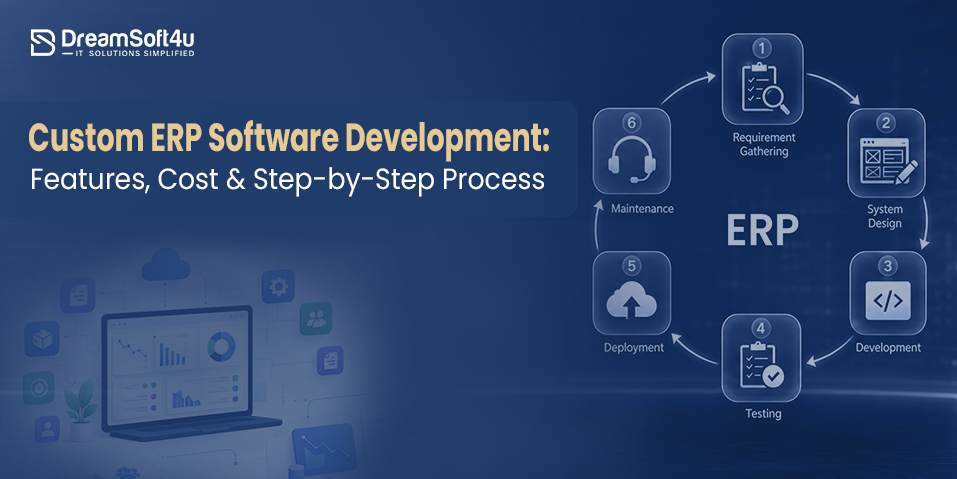
Custom ERP Software Development: Cost, Features & Step-by-Step Guide