Most growing companies do not fail because they lack ambition. They slow down because their tools stop talking to each other. Finance lives in one system, inventory in another, and sales data sits in a spreadsheet nobody fully trusts. As teams scale, those gaps turn into missed orders, delayed decisions, and hours lost to manual reconciliation.
This is the exact moment when leaders start looking seriously at custom ERP software development.
Off-the-shelf platforms promise a quick fix, yet they often force your business to bend around rigid templates instead of supporting how you actually operate.
A tailored ERP and CRM development approach flips that equation. It is engineered around your workflows, your data, and your growth plans.
In this guide, you’ll learn what custom ERP development is, when it makes sense, key features to include, development costs, and how to choose the right ERP development partner.
Custom ERP Software Development: Quick Answer
Here is the snapshot before we go deeper into custom ERP software development.
- What it is: A tailored enterprise resource planning system built around your specific workflows, not generic templates.
- Best for: Mid-sized and large companies with complex or industry-specific operations that packaged tools cannot fully support.
- Typical cost band: Roughly $50,000 to $750,000 plus, depending on modules, integrations, and scale.
- Timeline: Around 6 to 12 months for core systems, longer for enterprise-grade builds.
- Build signal: Choose custom when you are paying for features you never use, or working around software that fights your process.
What Is Custom ERP Software Development?
Custom ERP software development is the process of building an ERP (Enterprise Resource Planning) system specifically for your business.
Instead of using a ready-made solution with fixed features, a custom ERP is designed around your workflows, processes, and business goals.
Like any ERP system, it brings important functions such as finance, HR, inventory, procurement, and sales into one platform. The difference is that a custom ERP can include the exact features, dashboards, user roles, and integrations your business needs, without forcing you to change the way you work.
By connecting all departments and data in one place, a custom ERP reduces manual work, eliminates disconnected tools, and helps teams work more efficiently.
As your business grows, the system can also be expanded to support new processes, users, and requirements.
Types of ERP Software
Before committing to a budget, it helps to know what your options actually look like. Every ERP falls into one of a few broad categories, and each suits a different stage of growth.
- Custom ERP: Built specifically for your business, giving you full control over features, data, and scalability.
- Off-the-shelf ERP: Ready-made software with fixed modules, quick to deploy but limited in flexibility.
- Cloud-based (SaaS) ERP: Hosted and managed by a third party, easy to scale, billed on a subscription basis.
- Hybrid ERP: A customizable layer built on top of a ready-made framework, blending speed with some tailoring.
- White Label ERP & CRM Software: A ready-made ERP/CRM solution rebranded under your company name. Ideal for agencies, SaaS resellers, and businesses wanting faster deployment with full branding control.
Knowing where you sit on this spectrum makes the next decision far clearer.
When to Choose Custom ERP Software Development? 6 Signs
Custom is not the right answer for everyone, and an honest partner will tell you that. Still, certain signals make a tailored enterprise resource planning software a smarter long-term investment. Here are six signs to look for:
- You have established workflows that packaged software cannot support without awkward workarounds.
- Your business is scaling fast and needs new users, modules, or locations on demand.
- You operate in a regulated industry where compliance requirements outpace generic features.
- Licensing costs keep climbing as your team grows, eroding the savings that drew you to off-the-shelf tools.
- You depend on legacy systems that must integrate cleanly with any new platform.
- You want full ownership of your data, security posture, and product roadmap.
Not Sure If Custom ERP Is Right for You?
Share your current challenges with our experts and get honest advice — no sales pitch, just clarity on what solution fits your business best.
Get a Free Expert Opinion ↗Custom ERP vs Off-the-Shelf ERP: Which One Fits Your Business?
Here is a side-by-side view to make the comparison concrete.
| Criterion | Custom ERP | Off-the-Shelf ERP |
|---|---|---|
| Customization | Fully tailored to your workflows | Limited to preset modules |
| Cost model | Higher upfront, lower long-term TCO | Lower upfront, recurring fees grow |
| Integration | Built to connect with existing tools | Often needs middleware or add-ons |
| Scalability | Expands on your roadmap | Tied to the vendor’s roadmap |
| Support | Dedicated, from your dev partner | Standardized vendor support |
| Deployment time | Longer, built from scratch | Faster initial rollout |
| Data and control | Full ownership and security control | Vendor-defined controls |
Let’s break it down across the areas that matter most. Both paths solve real problems, but they reward very different priorities.
1. Customization and fit
A custom ERP is engineered around your operations, so each module behaves the way your teams already work. You decide how data moves, who sees what, and which processes get automated, which means almost nothing feels like a compromise.
Off-the-shelf ERP, by contrast, hands you a fixed set of features designed for the broad market. It can work well if your processes are fairly standard, though most companies eventually hit a wall where the software dictates the workflow rather than serving it.
2. Cost structure and ownership
With off-the-shelf platforms, you usually pay recurring subscription or licensing fees, and those costs grow steadily as you add users and premium features. The upfront price feels light, yet the long-term total can surprise you.
Custom ERP software development asks for a larger initial investment, but the trade is real ownership. You control the system, avoid per-seat penalties, and often see a lower total cost of ownership across a five to ten-year horizon.
3. Integration and scalability
Custom systems are designed from day one to connect with your CRM, accounting tools, and legacy applications, so data silos rarely form. As you grow, new modules and capabilities slot in without waiting on a vendor’s release schedule.
Off-the-shelf ERP can scale too, but it tends to lean on middleware or paid add-ons to integrate with niche tools. Expansion is possible, though it frequently means upgrades, migrations, or compromises you did not plan for. In short,
- Choose a custom ERP if you have unique processes, long-term scaling needs, compliance demands, and the budget for a tailored solution.
- Choose off-the-shelf ERP if: your workflows are standard, you need a fast rollout, and ongoing vendor support matters more than control.
6 Core Features and Modules of a Custom ERP System
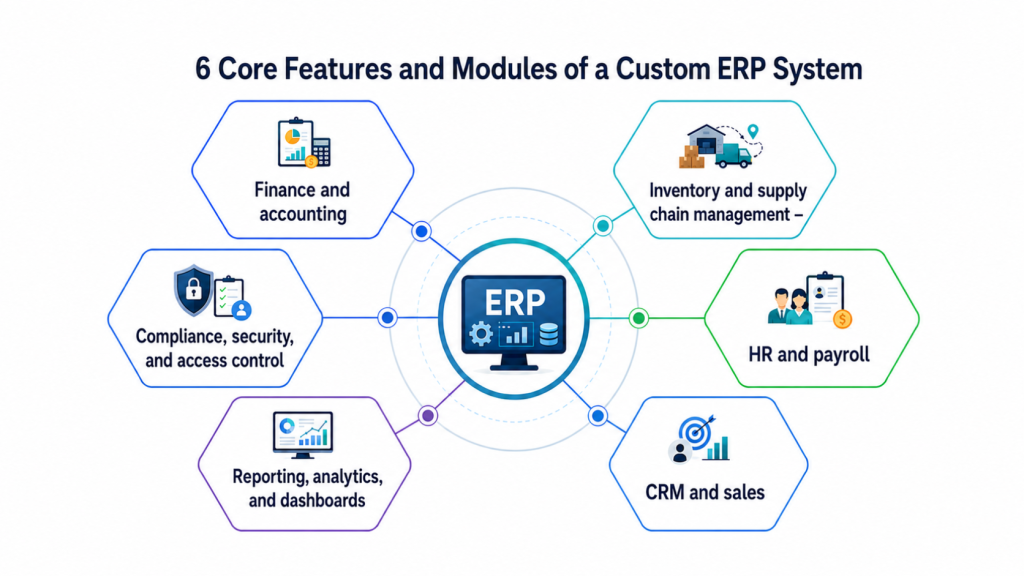
A custom ERP is only as good as the modules inside it. The smart approach is to include what your business genuinely needs and leave out what it does not. These are the core building blocks that appear in nearly every serious enterprise resource planning software.
1. Finance and accounting
This module is the financial backbone of your system. It handles the general ledger, accounts payable and receivable, budgeting, and reporting, and a custom build lets you bake in your own accounting practices and compliance rules so the numbers always reconcile cleanly.
2. Inventory and supply chain management
Here you get real-time stock tracking, automated reorder points, supplier management, and procurement workflows. For product-heavy businesses, it prevents both stockouts and overstocking, which protects margins and keeps customers happy.
3. HR and payroll
This module centralizes employee records, payroll, attendance, performance reviews, and benefits. Because it is tailored, it can mirror your exact HR policies instead of forcing your people team into someone else’s template.
4. CRM and sales
A built-in CRM gives you one clear view of every customer interaction, from first contact to closed deal and ongoing support. When it connects directly to inventory and finance, your sales team works from live data, not yesterday’s guesses.
If you need a standalone solution, our Custom CRM Development Services can be integrated directly into your ERP or deployed independently.
5. Reporting, analytics, and dashboards
This is where raw data becomes decisions. Role-based dashboards, custom reports, and real-time visualization let leaders see exactly what they need, and a tailored ERP shapes every report around the metrics that actually drive your business.
6. Compliance, security, and access control
For regulated industries, this module is non-negotiable. It covers encryption, multi-level access controls, audit trails, and regulatory reporting, all configured to meet the standards your sector demands, whether that is HIPAA, GDPR, or ISO 27001.
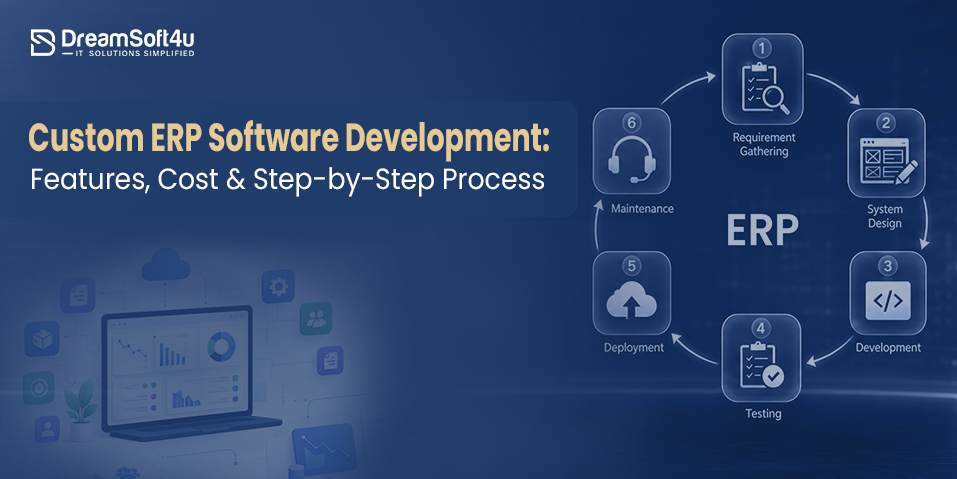
How to Build Custom ERP Software? Step-by-Step
Here’s the step-by-step process to build custom ERP software:
1. Define Business Requirements
The process begins by analyzing your current operations, identifying pain points, and documenting business requirements. This includes understanding workflows, reporting needs, compliance requirements, user roles, and existing software systems. A detailed discovery phase helps ensure the ERP solves real business challenges rather than simply digitizing inefficient processes.
2. Hire the Right ERP Development Company
Once your requirements are clear, the next step is selecting an experienced ERP development partner. The right company helps refine your requirements, identify potential risks, recommend the best technical approach, and create a realistic roadmap for development.
At DreamSoft4u, we help businesses evaluate their operational needs, define the right ERP strategy, and build solutions tailored to their industry and growth goals. An experienced development partner not only develops the software but also guides critical decisions that impact project success, scalability, and ROI.
3. Plan the Architecture and Technology Stack
After onboarding, the development team designs the ERP architecture and selects the technologies that will power the system. This includes database planning, security frameworks, integration methods, cloud or on-premise deployment decisions, and scalability planning. A strong technical foundation ensures the ERP can support future users, locations, and business processes without requiring major rebuilds.
4. Design the ERP Modules and User Experience
The team then designs dashboards, workflows, forms, and user interfaces based on how employees will interact with the system. At the same time, modules such as finance, HR, inventory, procurement, CRM, and reporting are mapped to specific business functions. The goal is to create a system that is easy to use, improves productivity, and encourages organization-wide adoption.
5. Develop and Integrate the ERP System
During development, engineers build the ERP modules and connect them with existing business applications. This may include CRM platforms, accounting software, inventory systems, payment gateways, HR tools, and other third-party solutions. Development is usually completed in phases, allowing businesses to review progress, provide feedback, and ensure the solution remains aligned with their requirements.
6. Test, Deploy, and Train Employees
Before launch, the ERP undergoes extensive testing to verify functionality, performance, security, integrations, and usability. Once testing is complete, the development team migrates business data, deploys the system, and trains employees on how to use it effectively. Proper training helps reduce resistance to change and improves adoption across departments.
7. Ongoing Support and Optimization
ERP systems continue evolving after deployment. Your development partner provides ongoing maintenance, security updates, performance monitoring, bug fixes, and feature enhancements as business requirements change. Regular optimization ensures the ERP continues delivering value, supporting growth, and adapting to new operational needs over time.
Now that you understand how a custom ERP comes together, let us look at the question every decision-maker asks next: what does it actually cost?
How Much Does Custom ERP Software Development Cost?
The average cost of building custom ERP software ranges between $50,000 to $750,000 or more. The actual cost depends on several other factors, including system complexity, the depth of customization, the number of integrations, your total user base, and where your development team is located.
Here is a realistic cost breakdown by project tier.
| Project Tier | Typical Cost Range | Timeline |
|---|---|---|
| Small to mid-sized business | $50,000 to $150,000 | 4 to 8 months |
| Mid to large enterprise | $150,000 to $300,000 | 8 to 16 months |
| Large or complex enterprise | $300,000 to $750,000 plus | 12 to 24 months |
These figures cover planning, development, testing, deployment, and basic post-launch support. Ongoing hosting, maintenance, and training usually add roughly 15% to 25% per year, so factor that into your long-term budget rather than the upfront quote alone.
Industries That Benefit Most From Custom ERP
Here are some major industries that benefit most from custom ERP:
- Healthcare: Manages patient records, appointments, insurance processing, and compliance tracking inside one secure, HIPAA-compliant platform, much like how custom software improves the electronic health record process.
- Manufacturing: Connects production planning, real-time inventory, and quality control directly to the shop floor.
- Retail and eCommerce: Unifies inventory, point-of-sale, and customer analytics for a single, accurate view of demand.
- Logistics and transport: Streamlines fleet tracking, route planning, and supply chain visibility across locations.
- Fintech and finance: Handles real-time transactions, reporting, and strict regulatory compliance with full audit trails.
Benefits of a Custom ERP Solution
Here are some major benefits of a custom ERP solution:
- Enhanced operational efficiency: Repetitive tasks get automated and workflows match your exact processes, which frees your teams to focus on work that genuinely moves the business forward.
- Sharper decision-making: With every department feeding one live data source, leaders gain clear visibility and can act on facts rather than fragmented reports scattered across tools.
- Scalability built in: Your system grows alongside you, absorbing new users, modules, and locations without the costly rip-and-replace cycles that plague rigid platforms.
- Seamless integration: Sales, inventory, and finance talk to each other automatically, removing the data silos and manual entry that quietly drain productivity every single day.
- Stronger ROI over time: A larger upfront spend gives way to real savings as you cut redundant licenses, reduce errors, and run leaner across the board.
- A genuine competitive edge: Proprietary workflows and faster insights let you respond to market shifts quicker than rivals stuck on the same generic software everyone else uses.
Common Challenges in Custom ERP Development and How to Solve Them
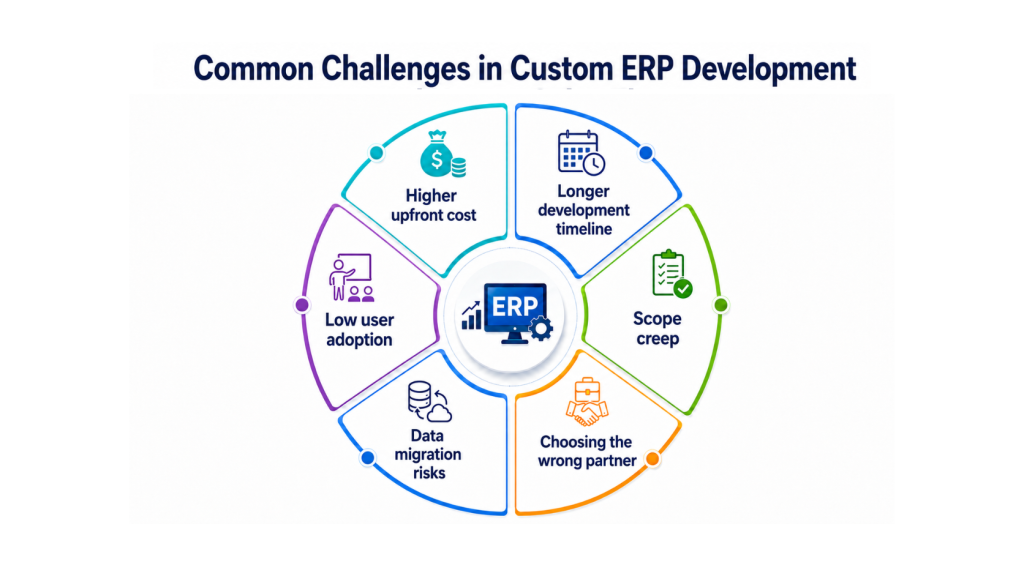
Here are some common challenges in custom ERP development and ways to fix them:
- Higher upfront cost: The initial investment feels steep, so phase the project, launch core modules first, and let early wins fund the next stage rather than committing everything at once.
- Longer development timeline: Building from scratch takes time, which is why agile sprints matter; they deliver working modules in stages, so you see progress instead of waiting in the dark.
- Scope creep: Adding features mid-build quietly blows budgets and deadlines, so document requirements early, separate must-haves from nice-to-haves, and protect that scope with discipline.
- Low user adoption: A great system fails if no one uses it, so involve end users from the start and invest in role-based training that builds genuine confidence.
- Data migration risks: Moving data from legacy tools can corrupt reporting, so clean your records first, run test migrations, and validate everything against known benchmarks before going live.
- Choosing the wrong partner: The wrong vendor creates technical debt, so vet experience, review case studies, and confirm they understand both the engineering and your industry.
Why Trust DreamSoft4U for Custom ERP Development?
Not all ERP development partners deliver the same level of expertise, flexibility, and long-term value.
Here’s what sets DreamSoft4U apart.
DreamSoft4u engineers compliance-grade, scalable ERP systems built around how your business actually runs. With 23+ years of experience, 1600+ projects delivered, and a global clientele, we bring both deep engineering and real domain knowledge to every build.
- Proven longevity: 23+ years in the industry with 1600+ successful projects and a 98% client retention rate.
- Compliance-first engineering: We build to HIPAA, GDPR, and ISO 27001 standards as a default, not an upgrade.
- Flexible global delivery: Engineering teams across the US and India give you strong talent at a cost-effective, transparent rate.
- End-to-end ownership: From discovery to post-launch optimization, we engineer, deploy, and maintain the full system.
Ready to Build Your Custom ERP System?
DreamSoft4U has delivered 1600+ projects across industries. Get a free consultation and a clear ERP roadmap tailored to your business.
Book a Free Consultation Today ↗Conclusion
Custom ERP software development gives businesses the flexibility, control, and scalability that off-the-shelf solutions often cannot provide. By bringing your core operations into one centralized system, a custom ERP can streamline workflows, improve visibility, reduce manual work, and support long-term growth.
The key is understanding your requirements, planning the right features, and partnering with an experienced development team that can turn your vision into a reliable, future-ready solution.
We hope this guide has helped you understand what custom ERP software development involves, how the process works, what it costs, and when it makes sense for your business.
Whether you need a fully custom build, white label ERP & CRM software, or dedicated custom CRM development services – the right solution depends on your business model and growth goals.
Now it’s your turn to evaluate your current systems, identify operational gaps, and decide whether a custom ERP is the right solution for your growth goals.
FAQs
It is the process of designing and building an enterprise resource planning system tailored to one company’s exact workflows, data, and goals. Unlike off-the-shelf tools, it adapts to your business instead of forcing your business to adapt to it.
Most core systems take around 6 to 12 months, while larger, enterprise-grade builds can run 12 to 24 months. The timeline depends on module count, integration complexity, and how much customization you need.
Costs typically range from $50,000 for smaller builds to $750,000 plus for complex enterprise systems. Your final figure depends on complexity, integrations, user base, and your development team’s location.
Custom ERP suits businesses with unique processes, scaling needs, and compliance demands. Off-the-shelf works better when your workflows are standard, and you need a fast, lower-cost rollout with vendor support.
Yes, and that is one of its biggest strengths. A custom ERP is designed to connect with your CRM, accounting software, legacy systems, and third-party platforms through custom or pre-built APIs.